
Your automation asks.
A flow posts the decision it needs — a draft, a record, a number — with the evidence beside it. n8n, Hermes, a Cloud Run job and a Claude session all use the same request.
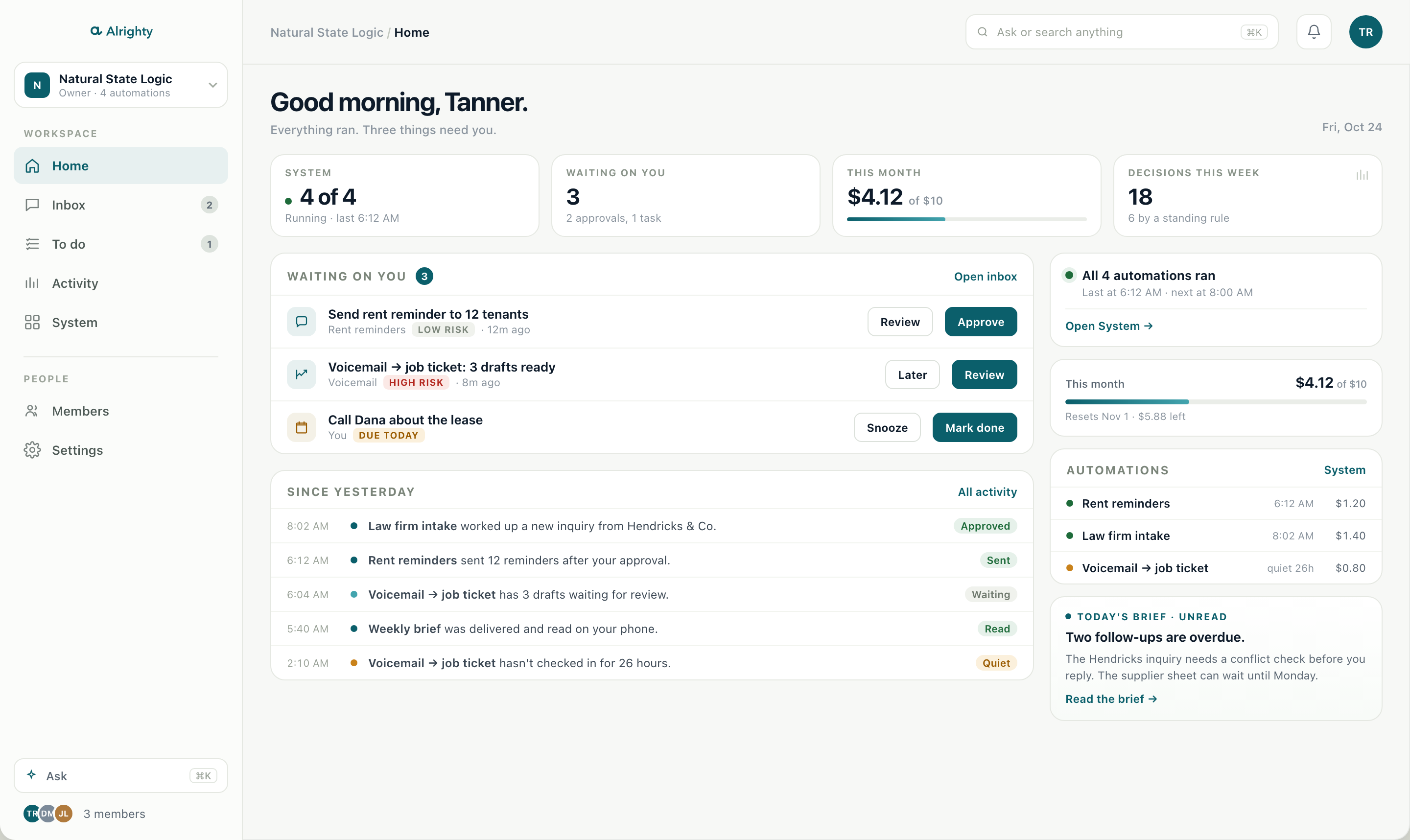
Alrighty is the control room for AI-run work. Every automation asks before it acts, you approve from your phone, and the work resumes with a record of who decided what.
Built by Natural State Logic in Jonesboro, Arkansas. It runs our own approvals every day.
Works with the automations you already have
The automation does the work. The person keeps the decision. Nothing in between is a guess.
A flow posts the decision it needs — a draft, a record, a number — with the evidence beside it. n8n, Hermes, a Cloud Run job and a Claude session all use the same request.
A push with Approve and Reject on the lock screen. High-risk requests open first. If it is close, edit the fields before you approve.
A signed callback wakes the flow. The activity log keeps the request, the decision, the edits and who made them.
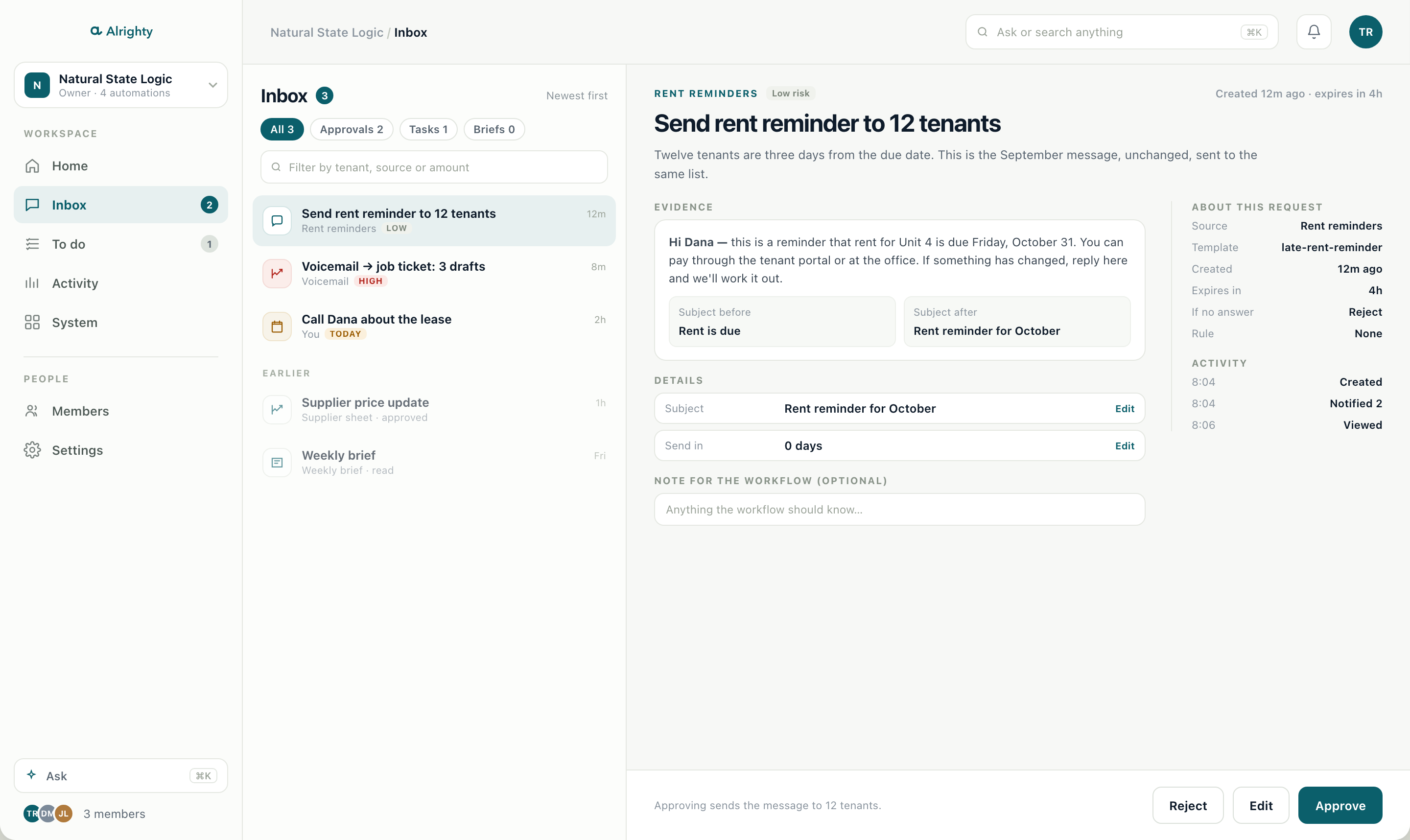
The request arrives with what you need to judge it: the draft, the source, the record, a before and after. You are not hunting through a workflow builder to find out what the bot wants.
The automation stops at the decision. Nothing sends, files or changes a record until a person says yes.
Who decided, when, and what they edited. The audit trail is the product, not a setting.
An owner can approve one low-risk template for good. High-risk requests never qualify.
Alrighty is the decision layer, not the data layer. Your automations keep the data where it already lives; Alrighty holds the request, the decision and the record.
One source, one revocable key. Retire an agent without touching the rest.
Every business is its own workspace. No record crosses one.
Set a retention window and the sensitive part is deleted on schedule.
Ask answers from the record, with sensitive evidence stripped and every cited item returned by a tool.
Law firms, landlords and service businesses that run on Microsoft 365, already have automations, and cannot hand the keys to a bot.
No. If a flow can make an HTTP request or use an MCP client, it can ask Alrighty. The flow keeps running; it waits for a decision instead of guessing.
Your automations keep their data. Alrighty holds the request, the decision and the activity record in its Google Cloud project. What a request sends is up to you, and sensitive evidence can be set to expire.
Yes. Low-risk requests can be approved or rejected from the lock screen. High-risk requests have to be opened and read first.
The request expires and sends its default action, which is usually reject. A high-risk request can never default to approve.
A 20-minute call. We look at one job your office repeats and set up that one decision with you. Early access is limited to a few businesses at a time.
Twenty minutes. Bring one job your office repeats; we will show you what the approval would look like.
Book a 20-minute callOr write to [email protected].